Connect OpenCode to TeamoRouter
OpenCode is an open-source AI coding assistant that can run in terminal and desktop/web-style interfaces.
1. Connect to TeamoRouter
If OpenCode Desktop is already installed, add TeamoRouter:
- Open OpenCode Desktop and click the settings icon in the lower-left corner.
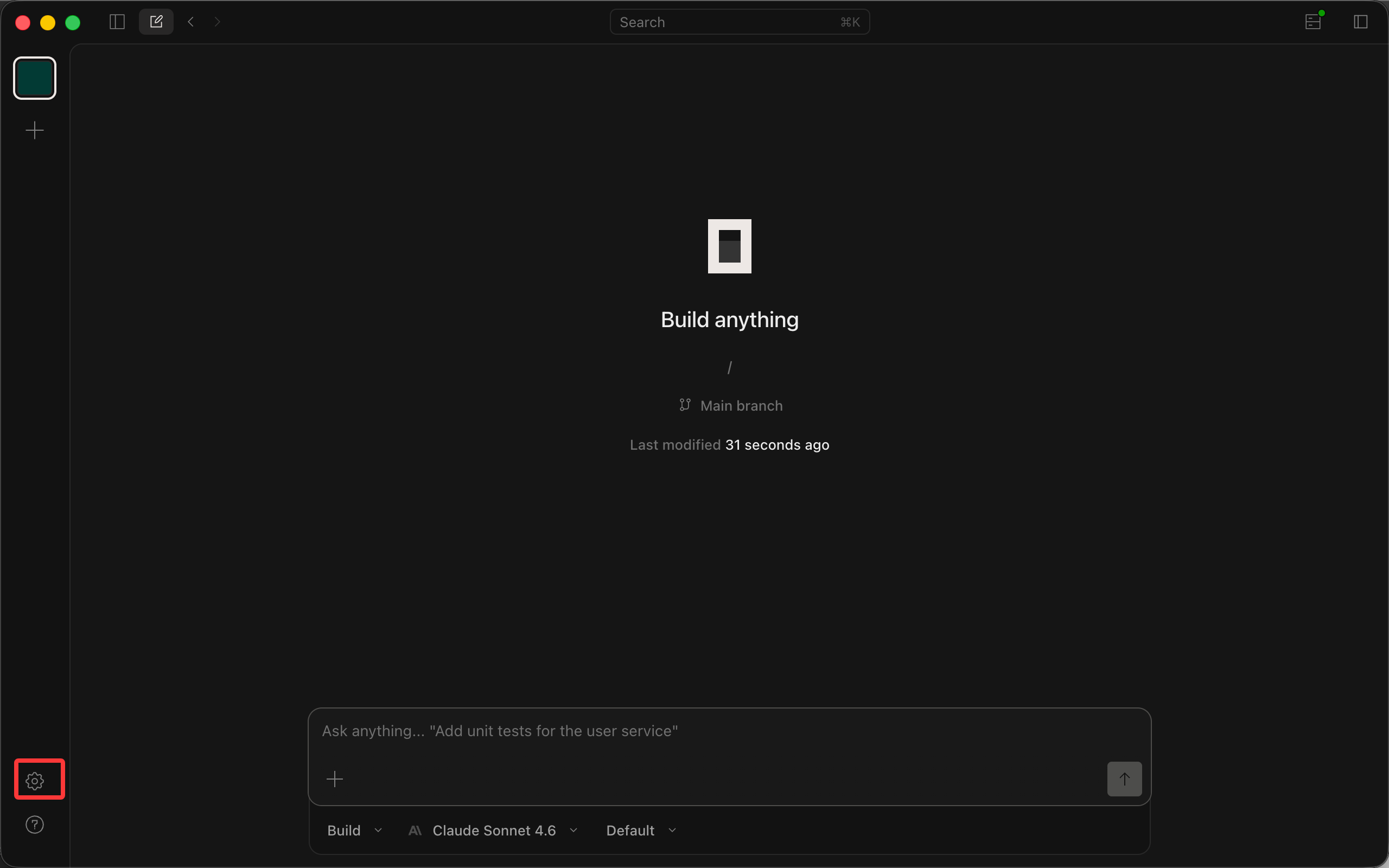
- In the left navigation, choose Server -> Providers.
- At the bottom of the provider list, find Custom provider and click Connect.
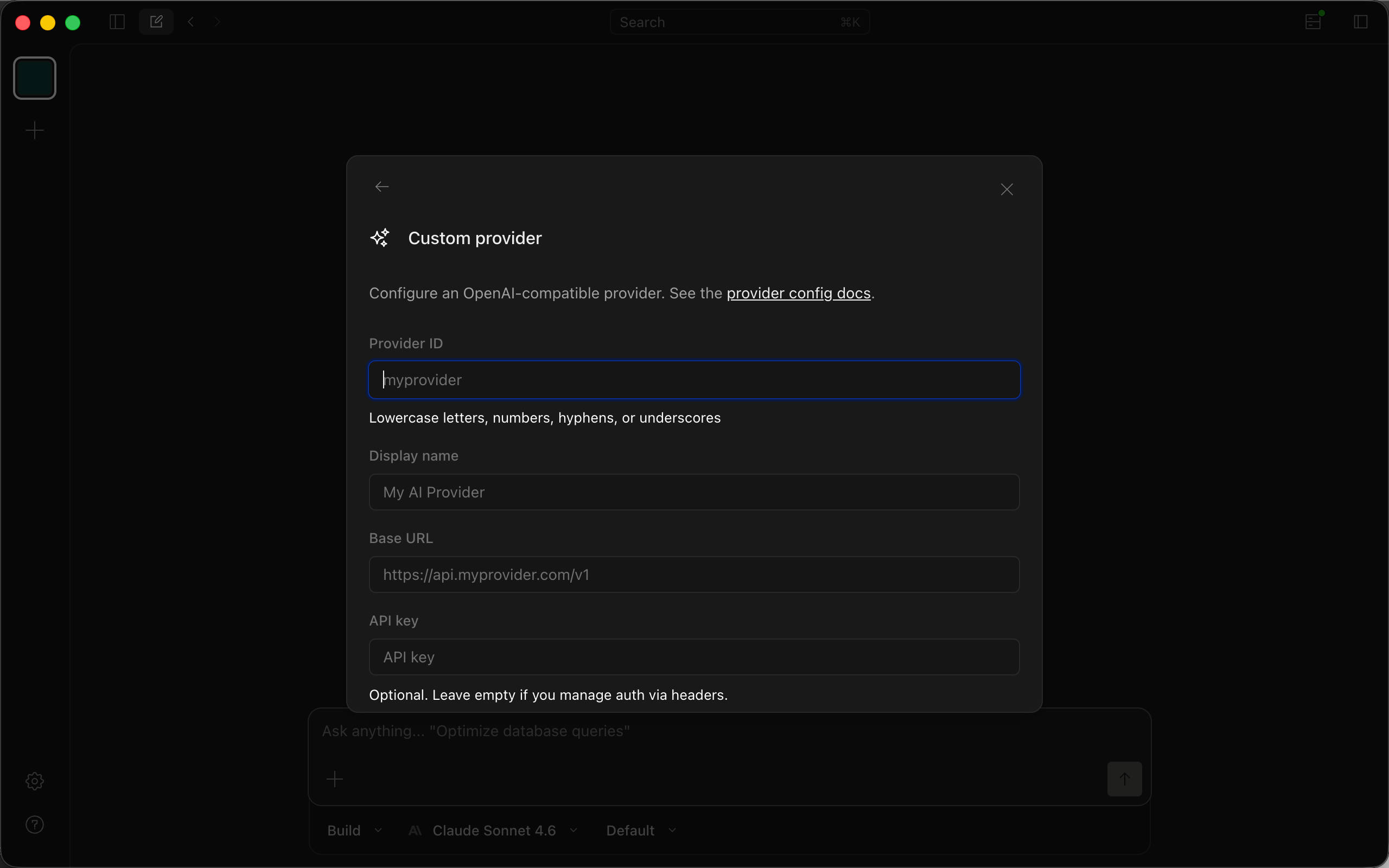
- Fill in the custom provider form:
- Provider ID:
teamorouter - Display name:
TeamoRouter - Base URL:
https://api.teamorouter.com/v1 - API key: paste the key you created in the TeamoRouter dashboard
- In Models, click Add model and add the model IDs you need.
| Model ID | Model name |
|---|---|
| gpt-6-astra | GPT 6 Astra |
| gpt-5.6-sol | GPT 5.6 sol |
| gpt-5.6-terra | GPT 5.6 terra |
| gpt-5.6-luna | GPT 5.6 luna |
| claude-fable-5-1 | Claude fable 5.1 |
| claude-fable-5 | Claude fable 5 |
| claude-sonnet-5 | Claude sonnet 5 |
| claude-opus-4-8 | Claude opus 4.8 |
| claude-opus-4-7 | Claude opus 4.7 |
| claude-opus-4-6 | Claude opus 4.6 |
| claude-sonnet-4-6 | Claude sonnet 4.6 |
| claude-haiku-4-5 | Claude haiku 4.5 |
| gpt-5.5 | GPT 5.5 |
| gpt-5.4 | GPT 5.4 |
| gemini-3.1-pro-preview | Gemini 3.1 pro (preview) |
| gemini-3.1-flash-lite-preview | Gemini 3.1 flash |
| deepseek-flash | DeepSeek V4.1 Flash |
| deepseek-v4-pro | DeepSeek v4 pro |
| deepseek-v4-flash | DeepSeek v4 flash |
| deepseek-v4-flash-free | DeepSeek V4 Flash Free |
| glm-5.3-flash | GLM 5.3 Flash |
| glm-5.3 | GLM 5.3 |
| glm-5.2 | GLM 5.2 |
| grok-4.6 | Grok 4.6 |
- Leave request headers empty.
- Click Submit to save.
Note: Because of an OpenCode client limitation, custom providers only support the OpenAI protocol. Calling Claude models this way can miss cache hits, cause requests to fail, and incur unnecessary costs. We do not recommend using Claude models in OpenCode. Use a Claude client when you need Claude models.
2. Install OpenCode from scratch
Download and install
Install or upgrade from the OpenCode download page.
Run and configure
Run:
opencode
Add TeamoRouter
Open OpenCode Desktop and follow steps 1 to 7 in the previous section.
Set the model
In Settings, choose Server -> Models and switch the default chat model to a TeamoRouter model. New conversations will use it by default.
Start using OpenCode
Return to the main OpenCode Desktop screen and create a new conversation.
Pay with USDT or USDC
You don't need a credit card to use OpenCode with TeamoRouter. Top up your balance with USDT, USDC or ETH straight from an exchange app (Binance, OKX and others) or any wallet: click Pay with crypto in the top-up dialog, pick a coin and network, and send. The minimum is $5 (USDT on BEP20), and no browser extension is needed. Step by step: Pay for Claude and GPT APIs with crypto (USDT).