Connect VSCode + Cline to TeamoRouter
VSCode does not include AI coding features by itself, so it needs an extension to connect to an LLM. Cline, formerly Claude Dev, is a popular open-source AI coding extension for VSCode. It supports custom OpenAI-compatible endpoints and can run an agent workflow through TeamoRouter.
1. Install VSCode + Cline from scratch
Already have VSCode and Cline? Skip to "2. Get your TeamoRouter API Key".
Install VSCode
Download VSCode from the official website:
- macOS: download the
.dmg, or runbrew install --cask visual-studio-code - Windows: download and run the
.exeinstaller - Linux: download the
.deb,.rpm, or.tar.gzpackage for your system
Install the Cline extension
In VSCode, press Command + Shift + X on macOS, or Ctrl + Shift + X on Windows and Linux, to open Extensions. Search for Cline and install the extension published by saoudrizwan.
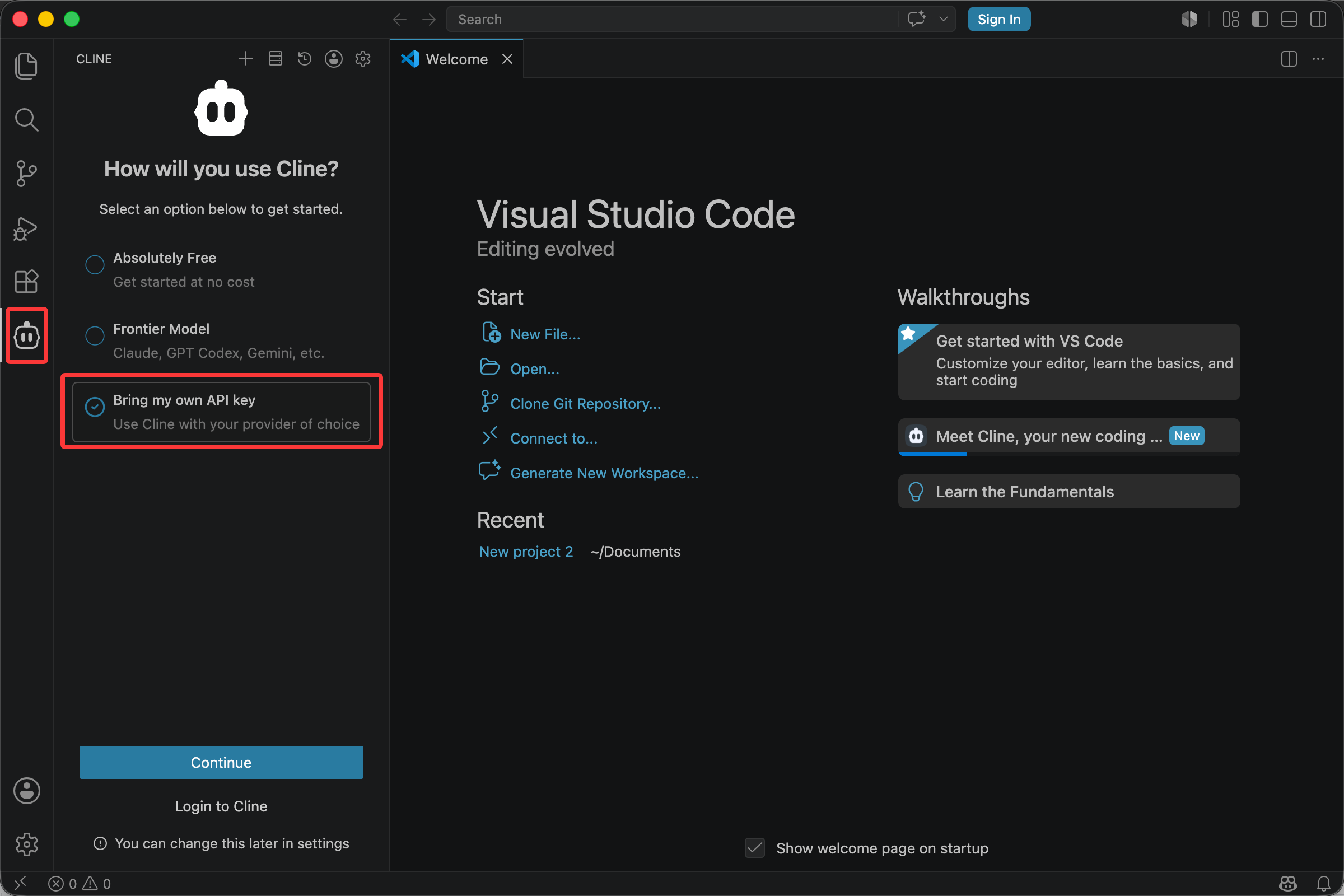
Click the Cline icon in the Activity Bar. The first launch opens the configuration page. Choose Bring my own API Key.
2. Get your TeamoRouter API Key
Open the TeamoRouter dashboard, create an account, create an API Key, and copy it. You can also view the complete model list in the dashboard.
3. Connect to TeamoRouter
Connect Cline to TeamoRouter:
- Open VSCode.
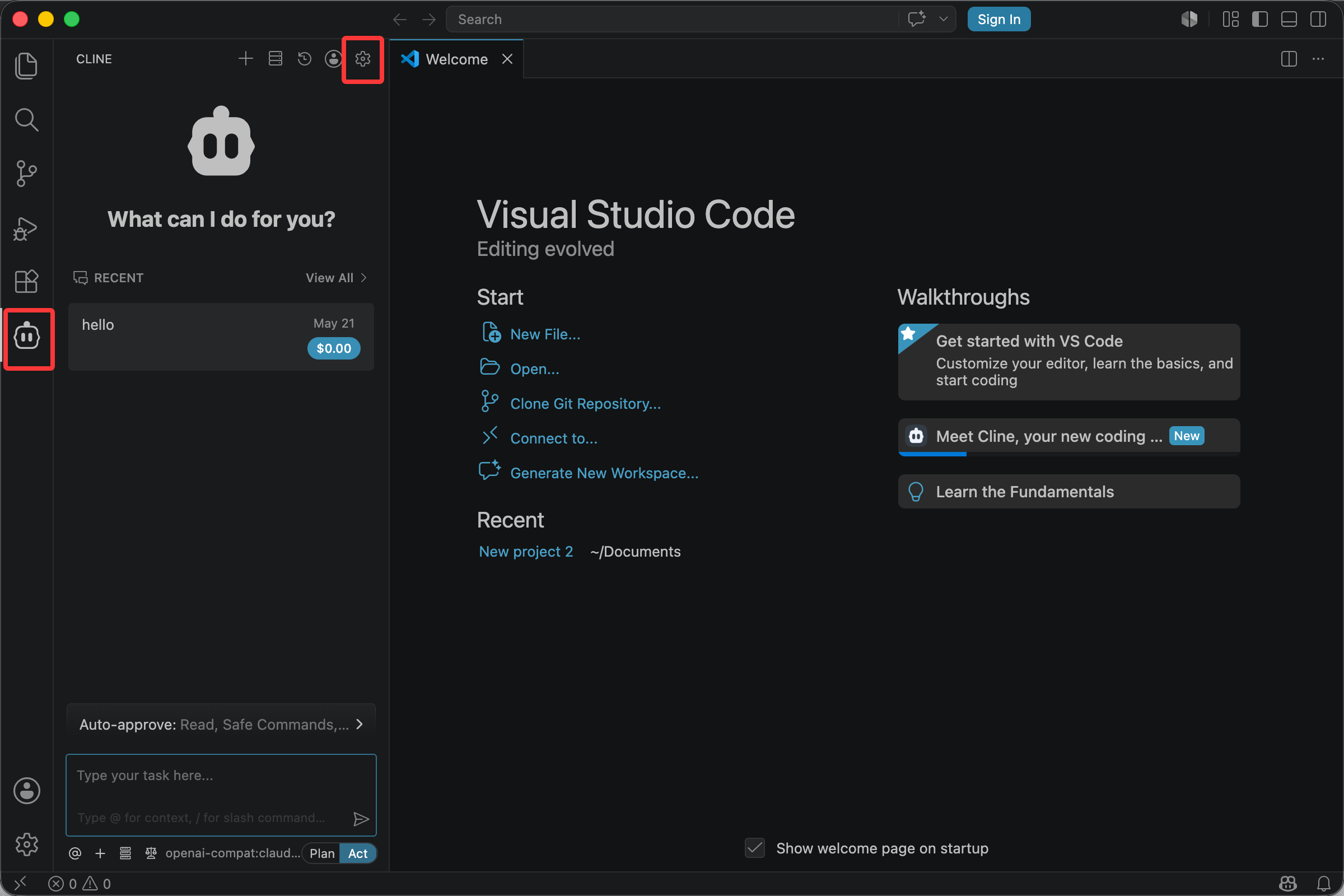
- Click the Cline icon in the Activity Bar to open the Cline sidebar.
- Click the settings button in the top-right corner of the sidebar.
On the API Configuration screen:
- Choose OpenAI Compatible in the API Provider dropdown. The default may be OpenRouter, so make sure it is changed.
- Fill in:
- Base URL:
https://api.teamorouter.com/v1 - OpenAI Compatible API Key: paste the key you created in the TeamoRouter dashboard
- Model ID: enter the model you want to use
| Model ID | Model name |
|---|---|
| gpt-6-astra | GPT 6 Astra |
| gpt-5.6-sol | GPT 5.6 sol |
| gpt-5.6-terra | GPT 5.6 terra |
| gpt-5.6-luna | GPT 5.6 luna |
| claude-fable-5-1 | Claude fable 5.1 |
| claude-fable-5 | Claude fable 5 |
| claude-sonnet-5 | Claude sonnet 5 |
| claude-opus-4-8 | Claude opus 4.8 |
| claude-opus-4-7 | Claude opus 4.7 |
| claude-opus-4-6 | Claude opus 4.6 |
| claude-sonnet-4-6 | Claude sonnet 4.6 |
| claude-haiku-4-5 | Claude haiku 4.5 |
| gpt-5.5 | GPT 5.5 |
| gpt-5.4 | GPT 5.4 |
| gemini-3.1-pro-preview | Gemini 3.1 pro (preview) |
| gemini-3.1-flash-lite-preview | Gemini 3.1 flash |
| deepseek-flash | DeepSeek V4.1 Flash |
| deepseek-v4-pro | DeepSeek v4 pro |
| deepseek-v4-flash | DeepSeek v4 flash |
| deepseek-v4-flash-free | DeepSeek V4 Flash Free |
| glm-5.3-flash | GLM 5.3 Flash |
| glm-5.3 | GLM 5.3 |
| glm-5.2 | GLM 5.2 |
| grok-4.6 | Grok 4.6 |
Note: Because of a Cline limitation, custom providers only support the OpenAI protocol. Calling Claude models this way may lose cache, fail requests, and create unnecessary costs. Use a Claude client, or open Claude Code in the VSCode terminal, when you need Claude models.
- Leave Custom Headers empty.
- Do not enable Set Azure API version or Use Azure Identity Authentication. They are only for Azure OpenAI.
- Keep Model Configuration unchanged.
- Click Continue to finish.
4. Start using Cline
Click the plus button at the top of the Cline sidebar to create a new task. Describe what you want in natural language, such as "refactor this function to async". Cline will call the model through TeamoRouter, read files, edit code, and run commands as needed.
Pay with USDT or USDC
You don't need a credit card to use Cline with TeamoRouter. Top up your balance with USDT, USDC or ETH straight from an exchange app (Binance, OKX and others) or any wallet: click Pay with crypto in the top-up dialog, pick a coin and network, and send. The minimum is $5 (USDT on BEP20), and no browser extension is needed. Step by step: Pay for Claude and GPT APIs with crypto (USDT).