Connect WorkBuddy to TeamoRouter
1. Connect to TeamoRouter
If WorkBuddy is already installed, add TeamoRouter:
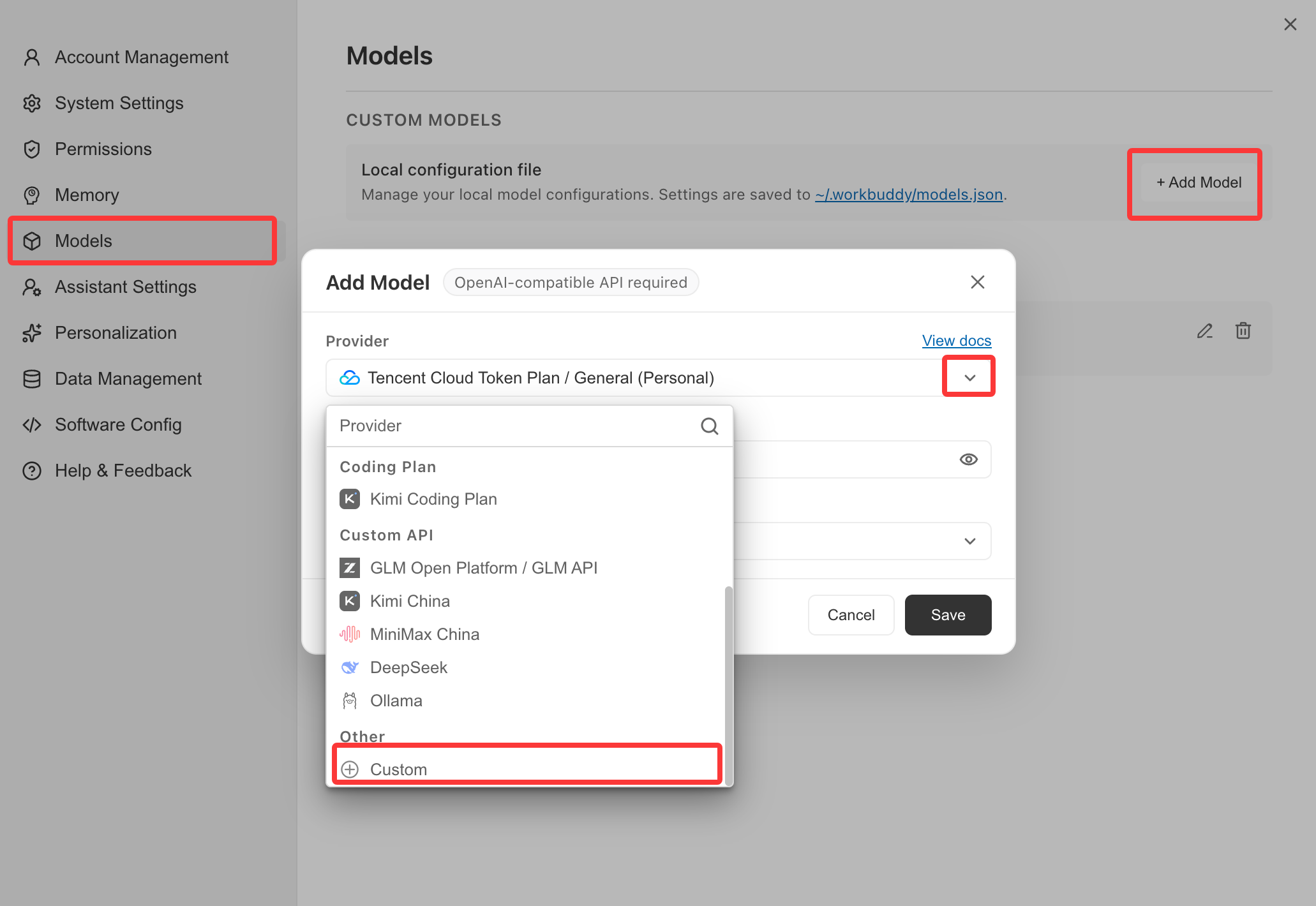
- Open WorkBuddy, click the account icon in the lower-left corner, open Settings, and choose Models.
- Click Add model and choose Custom as the provider.
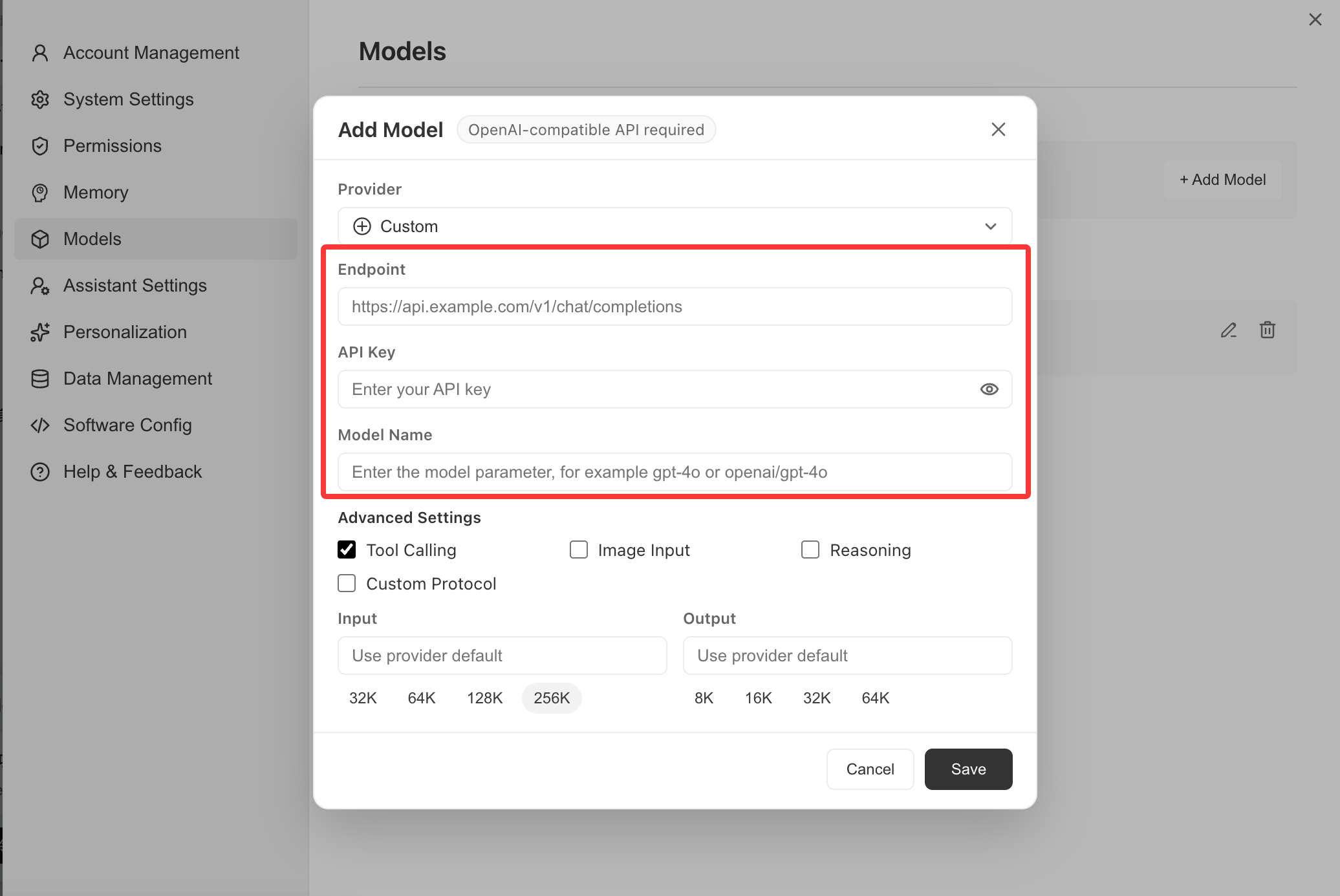
- Fill in the custom provider form:
- Endpoint:
https://api.teamorouter.com/v1 - API key: paste the key you created in the TeamoRouter dashboard
- Keep other settings at their defaults
- Add the model names you want to use.
GPT8
gpt-6-astragpt-6-solgpt-6-lunagpt-5.6-solgpt-5.6-terragpt-5.6-lunagpt-5.5gpt-5.4
Claude9
claude-opus-5-5claude-opus-5claude-fable-5claude-sonnet-5claude-opus-4-8claude-opus-4-7claude-opus-4-6claude-sonnet-4-6claude-haiku-4-5
Gemini6
gemini-3.8-flashgemini-3.7-flashgemini-3.6-flashgemini-3.5-flash-litegemini-3.1-pro-previewgemini-3.1-flash-lite-preview
DeepSeek6
deepseek-flashdeepseek-flash-freedeepseek-v4-flash-vision-expdeepseek-v4-prodeepseek-v4-flashdeepseek-v4-flash-free
GLM4
glm-5.3-flashglm-5.3-flash-freeglm-5.3glm-5.2
Grok1
grok-4.6
- Click Save.
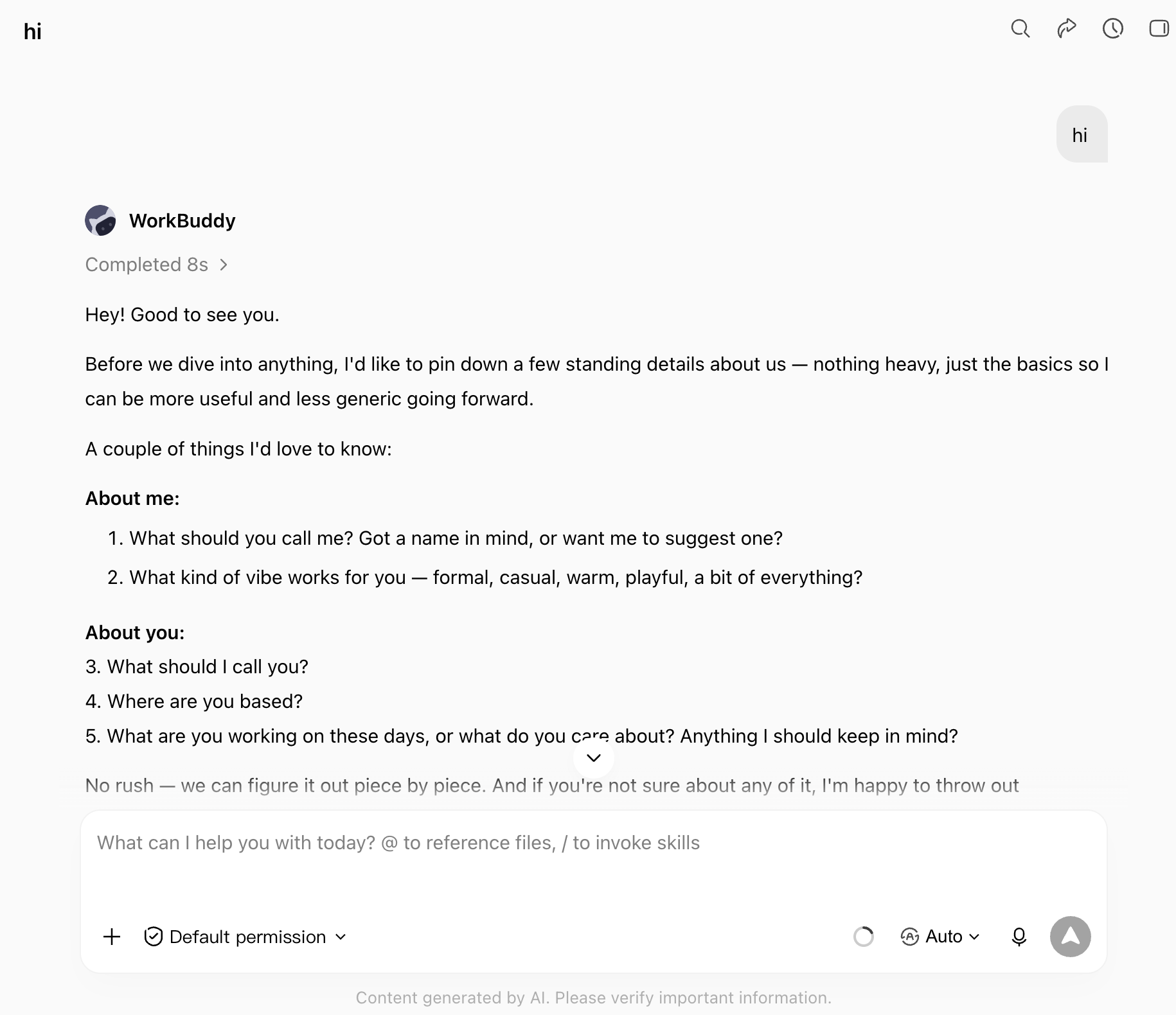
When calling a model later, select the model you just added.
2. Install WorkBuddy from scratch
Install or upgrade from the WorkBuddy download page.
Pay with USDT or USDC
You don't need a credit card to use WorkBuddy with TeamoRouter. Top up your balance with USDT, USDC or ETH straight from an exchange app (Binance, OKX and others) or any wallet: click Pay with crypto in the top-up dialog, pick a coin and network, and send. The minimum is $5 (USDT on BEP20), and no browser extension is needed. Step by step: Pay for Claude and GPT APIs with crypto (USDT).